
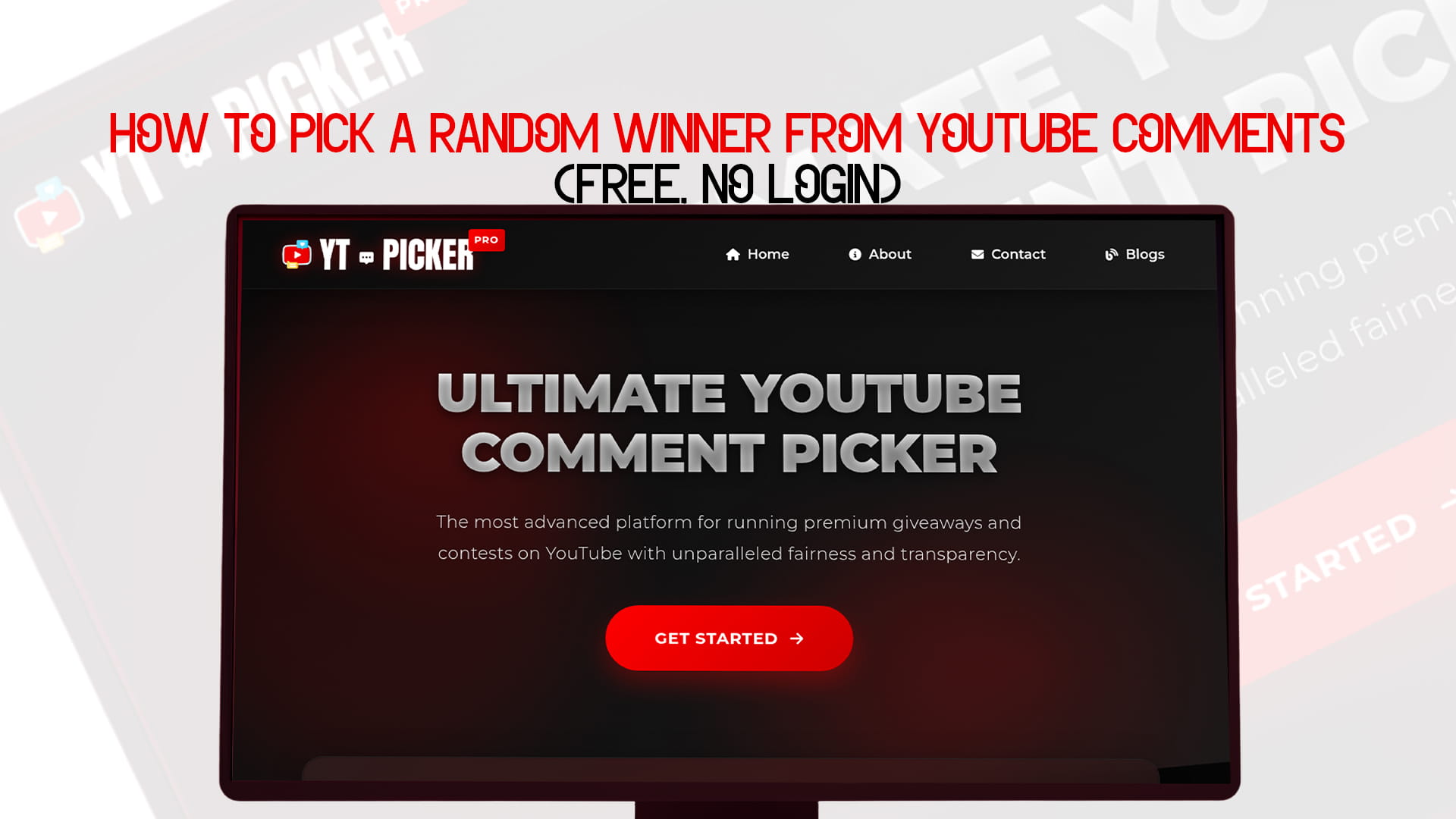
How to Pick a Random Winner from YouTube Comments (Free, No Login)
You uploaded the video. You announced the giveaway. The comments came in. Now you are staring at a wall of text wondering how on earth you are supposed to pick a winner from all of this.
YouTube comment giveaways are one of the best things a creator can do for their channel. They spike engagement, reward loyal viewers, and bring in new subscribers who want a shot at winning. But the moment the giveaway closes, you hit a wall. You cannot read every comment. You cannot manually count entries. And you definitely cannot just point at a name and call it random — your audience will not buy that for a second.
That is exactly what YT Picker was built for. It is the most advanced YouTube comment picker available, and it is completely free to use with no login required. You paste in your video link, set your conditions, and it picks a verified random winner from your actual comments in seconds.
This guide covers everything — how YT Picker works, how to use it step by step, what makes a great YouTube giveaway, and how to run the whole thing in a way that your audience will trust and remember.
Why YouTube Giveaways Are Worth Running
Before getting into the tool, it is worth understanding why comment giveaways work so well on YouTube specifically.
YouTube's algorithm rewards engagement. Comments, likes, and watch time all signal to the platform that a video is worth showing to more people. A giveaway post drives all three — people watch your video to understand the giveaway, they comment to enter, and they like to show support. That engagement spike can push your video to a wider audience organically.
Beyond the algorithm, giveaways build community. When viewers see their name in the running alongside thousands of other people, it creates a shared experience. When you announce the winner on camera in a follow-up video, those viewers come back to see if they won. And even the people who did not win feel good about the channel — you gave something away, you showed appreciation, and you did it transparently.
The keyword is transparently. A giveaway where the selection looks suspicious poisons everything. It turns a goodwill gesture into a controversy. YT Picker exists to make that impossible.
What Is YT Picker?
YT Picker is the ultimate YouTube comment picker — the most advanced platform for running premium giveaways and contests on YouTube with unparalleled fairness and transparency.
You can access it right now at YT Picker. No account needed. No software to install. Free to use.
What separates YT Picker from a basic random name picker is the depth of its filtering and verification system. It does not just take a list of names and pick one. It connects to your actual YouTube video, loads every single comment, applies the rules your giveaway set, and then randomizes across only the eligible entries.
The result is something you can show your audience with confidence. Here are all the comments. Here are the rules that were applied. Here is who won. Done.
That level of transparency is what turns a one-time giveaway into a recurring channel tradition your audience trusts and looks forward to.
How to Pick a Random Winner from YouTube Comments Using YT Picker
Here is the complete process from zero to announced winner.
Step 1: Go to YT Picker
Open YT PICKER in any browser. There is no sign-up required and nothing to download. It works on desktop, tablet, or mobile.
Step 2: Paste Your Video URL
Copy the URL of the YouTube video where your giveaway lives — the one with all the comments. Paste it into the search field on YT Picker.
YT Picker works with any public YouTube video. As long as the comments are public and enabled on the video, YT Picker can access them.
Step 3: Load All Comments
Hit load. YT Picker will pull every comment from your video through the YouTube API. This is the step where it really proves its value — YouTube's own interface does not show comments in a reliable order, and it certainly does not show all of them at once. YT Picker loads the full dataset.
For videos with a lot of comments, give it a moment. A popular giveaway video with thousands of comments will take slightly longer to fully load than a smaller one — but it will get all of them.
Step 4: Set Your Filters
This is where YT Picker goes from a useful tool to an essential one. Before a single name gets into the random draw, you can set conditions that match exactly what your giveaway asked people to do.
Keyword filter. If you said "comment the word ENTER to win" or "tell me your favorite video of mine in the comments," you can filter to include only comments that contain that word or phrase. Anyone who left an emoji or wrote something off-topic without following instructions gets excluded automatically.
Duplicate comment removal. One entry per person. If someone commented fifteen times to improve their odds and your rules said one entry only, YT Picker can reduce them to a single entry in the pool. Fair is fair.
Multiple entry support. If your giveaway offered extra entries for subscribing, or for tagging someone, you can allow multiple comments from the same person to count separately — giving them the proportional boost they earned.
Subscriber filter. If your giveaway was exclusive to subscribers — "you must be subscribed to win" — YT Picker can filter to include only verified subscribers.
Exclude specific users. Remove yourself, your team members, or bot accounts from the draw before it happens.
Date range filter. If your giveaway ran from a specific date to a specific closing date, you can restrict entries to comments posted within that window. Comments posted after the deadline do not count.
Reply filtering. Choose whether to include or exclude replies to comments, depending on how your giveaway was structured.
These filters are the difference between a giveaway that actually honored its own rules and one that just picked someone at random from all the noise.
Step 5: Draw the Winner
Filters set, pool confirmed — hit draw. YT Picker randomizes across all eligible entries and shows you the winner. You see their name, their comment, and their channel link.
The results screen is built to be shareable. Screenshot it, screen-record it, or use the share option. This is your official record of the draw.
Step 6: Draw Backup Winners if Needed
Most giveaways should have a backup plan. If the winner does not respond within your deadline — typically 48 to 72 hours — you draw again. YT Picker handles this immediately: the previous winner is excluded from the next draw automatically.
For giveaways with multiple prizes, just draw multiple times in sequence. Each winner is removed from the pool before the next draw.
Step 7: Announce the Winner
Tag or mention the winner in a comment on the giveaway video, and reach out directly through YouTube's community features or by having them contact you as directed.
Share the YT Picker result screen publicly so your audience can see exactly how the selection was made. This one move — showing the draw — is what builds the kind of trust that makes your next giveaway even bigger.
Why No Login Makes a Real Difference
Most comment picker tools require you to create an account, connect your YouTube channel, and go through a setup process before you can do anything. That friction adds up — and for small creators who just want to pick a winner and get back to making videos, it is genuinely annoying.
YT Picker requires no login. You paste a URL. You set your filters. You draw. That is it.
There is no account to create, no email to verify, no dashboard to learn. The tool respects your time. It does one thing and does it extremely well, and you can get there in under a minute.
This also matters for transparency. When your audience sees you using a tool that does not even require you to log in, it is harder to argue the result was manipulated. There is no account tied to the video, no admin panel where selections could be tweaked, no reason to doubt what the screen shows.
What Makes a YouTube Giveaway Actually Work
YT Picker handles the selection. The success of the giveaway overall depends on how you set it up in the first place. Here is what makes the difference between a giveaway that flops and one that your audience talks about.
Make the Entry Action Match Your Goals
The thing you ask people to do to enter should reflect what you want to get out of the giveaway.
If you want more comments and engagement, ask people to comment on something specific — their answer to a question, their favorite video, their opinion on a topic.
If you want more subscribers: gate the giveaway to being subscribed. "You must be subscribed to this channel to win" is a clear, enforceable rule that YT Picker can verify.
If you want more channel discussion, ask people to tag another viewer in the comments. Every tag pulls someone new into the conversation.
Pick the entry action that serves your actual goal. Do not add five different conditions just because you can — each one you add reduces participation.
Be Specific About the Rules
Your giveaway video and description need to say exactly what people must do, who is eligible, when the giveaway ends, and when and how you will announce the winner. The more specific you are, the fewer complaints you get afterward.
"Comment below to win" is too vague. "Comment your favorite video on this channel below — I will pick one random winner on [date] and announce it in my next video. Must be subscribed to win" is clear.
Keep the Prize Relevant to Your Audience
A gaming channel giving away gaming gear will generate more genuine excitement than the same channel giving away a restaurant gift card. The prize does not need to be expensive — it needs to be something your specific audience actually wants.
A well-matched prize also self-selects the right entrants. When you give away something your ideal viewer wants, the people who enter are exactly the people you want engaging with your channel long-term.
Choose the Right Video
Your giveaway announcement should be in a video your audience will actually watch. Hiding it in a low-view video or adding it as an afterthought at the end of an unrelated upload will not generate the participation you want.
The best approach is a dedicated giveaway announcement at the start of a strong video — something people are already going to click on for the content alone. The giveaway is a bonus that drives them to comment and engage.
Give It Enough Time
A giveaway that closes 24 hours after posting will miss a big chunk of your audience, especially subscribers who check YouTube a few times a week rather than daily. Three to seven days is the right window for most channels. It gives the algorithm time to surface the video, gives existing subscribers time to see it, and gives you time to promote it.
Mention It in the Video, Not Just the Description
Viewers skim descriptions. If the giveaway rules only live in the video description, a lot of people will enter incorrectly or not at all. Explain the entry instructions clearly on camera, ideally with a brief on-screen graphic that shows exactly what to comment.
How to Announce the Winner in a Way That Grows Your Channel
The announcement is part of the content strategy, not just a housekeeping step. Handle it well and it does real work for your channel.
Announce publicly in the comments of the giveaway video. Pin the comment announcing the winner. This brings people back to the video — they get a notification that there is a pinned comment and many of them will come back to check. More views, more engagement on a video that already performed well.
Make an announcement video or community post. A short video where you announce the winner, show the YT Picker draw on screen, and maybe react to the winning comment is great content. It closes the loop for your audience and shows them the whole process was real.
Share the YT Picker screen. This is the single most important thing you can do for credibility. Showing the actual draw — the pool of entries, the filters, the randomization — makes the result impossible to argue with.
Reach out to the winner directly. Reply to their comment or have them contact you through a method you specify. YouTube's messaging system has limitations, so think ahead about how you will get their shipping address or deliver a digital prize.
Set a response deadline. "If the winner does not respond within 48 hours, a new winner will be drawn." This is standard practice and protects you from a giveaway that never fully closes because the winner is unreachable.
Mistakes That Make YouTube Giveaways Go Wrong
A few avoidable mistakes keep coming up again and again. Knowing them in advance saves a lot of headaches.
Not announcing a winner publicly. Picking someone in private and never saying anything publicly is the fastest way to make your audience assume the giveaway was never real. Always announce publicly.
Picking too slowly. If it takes a week after the giveaway closes to announce a winner, people start to wonder what is happening. YT Picker makes it instant — there is no reason for delay.
Unclear entry rules. If people are not sure what to comment, they will comment the wrong thing. Then they either get excluded and feel cheated, or you include them and undermine your rules. Write the rules clearly before you post.
Too many entry requirements. Comment, like, subscribe, share, tag five people, leave a review somewhere else. Each step you add loses a percentage of potential entrants. Keep it simple.
Not having a backup winner plan. Winners become unreachable. It happens. Always plan to draw at least one or two backup winners in case the first does not respond.
Forgetting to check YouTube's contest policies. YouTube has its own rules about contests. Make sure your giveaway includes the required disclosure that the promotion is not sponsored by or affiliated with YouTube. Depending on your country, there may also be legal requirements for prize draws over certain values.
YT Picker vs Other Methods
Let's be honest about the alternatives.
Picking manually from comments. You scroll through and point at someone. Nobody believes it is random, it is impossible to defend, and it does not scale at all. Not a real option for anything serious.
Copy-pasting into a random picker. You export comments, paste them somewhere, and hit random. This is slow, prone to errors, cuts off late entries, does not apply filters, and produces no shareable proof. Fine for a tiny giveaway. Not fine for anything that matters to your audience.
Generic web random pickers. Paste in a list, click draw. No YouTube integration, no live comment loading, no filter support. Still requires manual work to prepare the list and produces no verifiable result tied to your actual video.
YT Picker. Connects directly to your YouTube video through the API, loads all comments live, applies your rules through a full filter system, and produces a verifiable result screen you can show anyone. No manual work. No errors from copying. No question about whether it was done right.
Frequently Asked Questions
Does YT Picker work on any YouTube video? Any public YouTube video with comments enabled. As long as the video is public and comments are not turned off, YT Picker can access the comment data.
Do I need a YouTube account to use YT Picker? No. You do not need to log in to anything. Paste your video URL and go.
What if my video has 50,000 comments? YT Picker is built to handle high volumes. It pulls all comments, not just what is visible in the default YouTube interface. Large comment counts take slightly longer to load but are fully supported.
Can I pick more than one winner? Yes. Draw multiple winners in sequence — each winner is removed from the eligible pool before the next draw.
What if the winner does not respond? Draw again. The previous winner will be excluded automatically from the next draw. This is standard practice — always set a response deadline of 48 to 72 hours when you announce.
Is YT Picker really free? Yes. Visit YT PICKER to see current features. The core giveaway picking functionality is free to use.
Can I filter for subscribers only? Yes. If your giveaway is exclusive to subscribers, the subscriber filter ensures non-subscribers do not make it into the draw.
The Bigger Picture: Why Transparency Wins on YouTube
YouTube viewers are savvy. They have seen enough fake giveaways, rigged contests, and shady pick reveals to be genuinely skeptical by default. When a creator announces a winner with nothing to back it up, a meaningful portion of the audience — especially longtime fans who entered and did not win — will wonder.
That skepticism is corrosive. It does not just affect the giveaway. It affects how people think about everything you say.
Showing your work with YT Picker flips that completely. When you show the actual draw on screen — every eligible entry, every filter applied, the randomization happening in real time — there is nothing to question. You are not asking your audience to trust you. You are showing them.
That difference matters more than it might seem. A creator who runs transparent giveaways builds a reputation for fairness. And that reputation means every future giveaway gets more entries, more engagement, and more goodwill — because people know it is real.
YT Picker is the tool that makes that reputation possible.
Start Your Next YouTube Giveaway the Right Way
You do not need a complicated setup. You do not need an account. You do not need to spend any money.
You need a good video, a relevant prize, clear rules, and YT Picker to handle the selection — visit YT PICKER to pick giveaway winners for free.
The rest — the engagement, the subscriber growth, the community trust — follows from doing it right.
Run Giveaways on Other Platforms Too?
If your content lives on more than just YouTube, here are the purpose-built comment picker tools for every other major platform:
FB Picker is the comment picker for Facebook giveaways. Connect your Facebook post, apply custom entry filters, and draw a verified winner instantly. Visit fbpicker.com.
TT Picker is the comment picker for TikTok. Pick random winners from TikTok video comments with the same filter and verification system. Visit ttpicker.com.
RDT Picker handles Reddit giveaways and contests. Draw random winners from Reddit post comments with full transparency for that audience. Visit rdtpicker.com.
BSKY Picker is built for Bluesky. As that platform's community has grown, so requires a clean, fair comment picker there. Visit bskypicker.com.
Each tool is built around the same principle: fair selection, full filter support, and shareable results your audience can actually see and trust.