
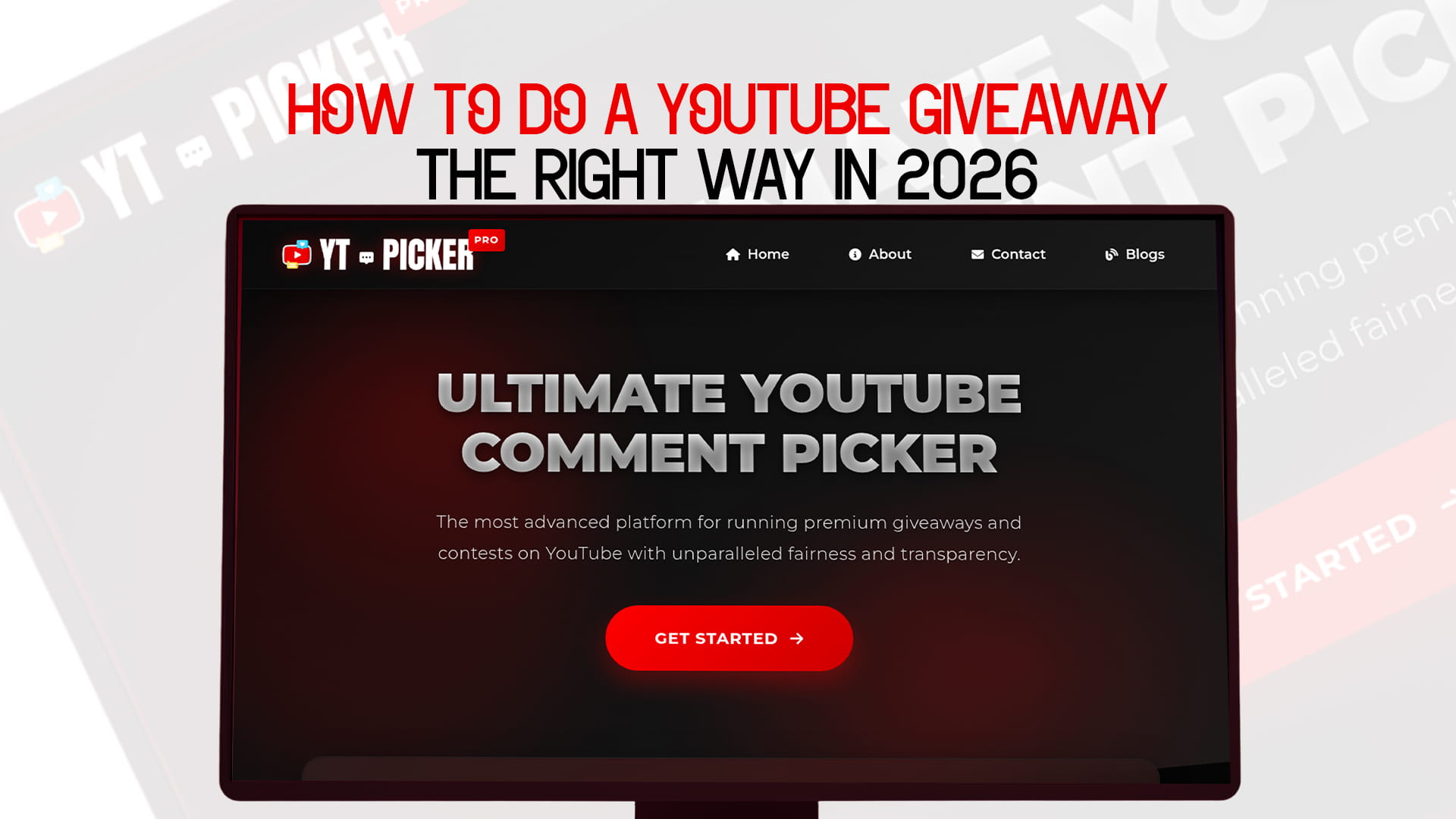
How to Do a YouTube Giveaway the Right Way in 2026
YouTube giveaways still work. That is the short answer. The longer answer is that they work when you do them right — and a surprising number of creators do not. They pick the wrong prize, write vague rules, pick a winner in a way that looks suspicious, and then wonder why their giveaway generated complaints instead of goodwill.
This guide is for creators who want to do it properly. From planning the prize to announcing the winner, every step is covered. You will also learn how to pick giveaway winners for free — removing the hardest, most credibility-sensitive part of the whole process: picking a fair, verifiable winner from your YouTube comments.
Why YouTube Giveaways Still Work in 2026
A lot has changed on YouTube over the past few years. Shorts took over Discovery. AI content flooded every category. Viewer attention spans got shorter. But the fundamental appeal of a giveaway has not changed at all.
People still want free things. They still want to feel connected to the creators they watch. And they still respond to the simple excitement of "you could win."
From a channel growth perspective, giveaways deliver something YouTube's algorithm rewards directly: comment activity. A giveaway video naturally generates more comments than almost any other content format. Comments drive engagement signals. Engagement signals push the video to more viewers. More viewers means more subscribers — and more people entering the next giveaway, which drives even more engagement.
It is a compounding loop, and it starts with one good giveaway done correctly.
The channels that benefit most are not just the big ones. Mid-size and even small channels see significant relative growth from well-run giveaways because the activity spike is proportionally large compared to their normal video performance. A creator with 5,000 subscribers running a targeted giveaway with a relevant prize can generate more genuine community buzz than a channel with 500,000 subscribers running a generic giveaway with no real connection to their audience.
Size is not the deciding factor. Execution is.
What Makes a YouTube Giveaway Go Wrong
Before covering what to do, it helps to understand what usually goes wrong. Most failed giveaways fall into a few predictable patterns.
The prize does not match the audience. Giving away a general-purpose gift card or a product completely unrelated to your channel's topic brings in people who have no real interest in your content. They enter, maybe they win, and then they disappear. Your subscriber count might tick up briefly and then drop. Irrelevant prizes attract irrelevant entrants.
The rules are too vague. "Comment below to enter" is not enough. When people do not know exactly what to do, they do different things. Some comment a word, some write essays, some ask questions. When the draw happens, and the winner turns out to be someone who did not follow any specific instruction — because there was no specific instruction — it looks random in a bad way.
The winner selection looks suspicious. This is the single most common credibility killer. A creator scrolling through comments and picking someone "randomly," or announcing a winner without any explanation of how they were chosen, will always face skepticism. Some portion of the audience will assume it was rigged. That assumption is toxic.
The announcement is delayed or silent. Running a giveaway and then going quiet about the winner is almost as bad as not running one. Viewers who entered invested their time and attention. They deserve a clear, public announcement of who won and how.
The giveaway violates YouTube's policies. This one can get your video removed or your channel flagged. YouTube has specific rules about contests and sweepstakes, and many creators do not read them before posting.
Every one of these problems is preventable. The rest of this guide is about preventing them.
Step 1: Define What You Want From the Giveaway
The first question is not "what should I give away?" It is "What do I want this giveaway to accomplish?"
The answer shapes every other decision.
If you want more subscribers, Your giveaway entry condition should require subscribing. "You must be subscribed to this channel to be eligible to win" is clear, enforceable, and directly achieves your goal. YT Picker can filter for subscribers, so this is easy to verify during the draw.
If you want more comments and engagement signals: Ask people to comment on something specific — their answer to a question, their favorite video on the channel, a word or phrase that shows they watched the video. The more specific the prompt, the better the comment quality.
If you want to introduce your channel to new people, structure the entry to include tagging — "tag a friend who would enjoy this channel." Every tag pulls someone new into the comments who may not have seen your content before.
If you want to reward your existing community, make the entry condition something only regular viewers would know, like a question about a detail from a previous video. This makes the giveaway feel like a gift to loyal fans rather than a subscriber grab.
Knowing your goal before you start prevents the common mistake of slapping five different entry requirements together in a way that serves no single purpose well.
Step 2: Choose the Right Prize
The prize is what drives participation. Get this wrong, and everything else you do right will not matter.
Relevance always beats expense. A gaming channel giving away a new controller will get better-quality entries than the same channel giving away a $500 general shopping voucher. The voucher sounds more valuable on paper. The controller brings in the people you actually want watching your next video.
Think about what your specific audience cares about. Not what seems impressive in the abstract — what your viewers would genuinely get excited about. Something they would use in their daily lives related to what your channel is about.
Consider digital prizes for simplicity. Physical prizes involve shipping, customs, address collection, and delivery complications. Digital prizes — game codes, software subscriptions, online courses, digital products — are simpler to deliver and work for a global audience without the logistics headache.
Sponsor your own prize when possible. Accepting a sponsored prize from a brand is not inherently bad, but it changes the dynamic. When you buy the prize yourself and give it away out of genuine appreciation for your audience, that comes through. Viewers can feel the difference between a creator who ran a giveaway because a brand paid them to and one who did it just to give something back.
Make sure the prize value fits the entry effort. If you are asking people to write a long response, watch a full video, and tag three friends, the prize should be proportional to that effort. Asking for high effort in exchange for a low-value prize creates resentment. Keep the entry requirements and the prize value in a reasonable proportion.
Step 3: Write Clear and Complete Giveaway Rules
This is the step most creators shortcut and then regret.
Your giveaway rules need to cover five things, written in plain language that anyone can understand:
1. What to do to enter. Be specific. Not "comment below" but "comment your favorite video on this channel below." The exact action is clearly stated.
2. Who is eligible? Channel subscribers only? Open to everyone? Any age or geographic restrictions? If you are shipping a physical prize and can only send within certain countries, say so upfront. Nothing creates more bad feelings than someone winning and then finding out they cannot receive the prize because of where they live.
3. When the giveaway closes. A specific date and time, including the timezone. "This Sunday" is vague. "Sunday, [date], at 11:59 PM EST" is not.
4. When and how the winner will be announced. "The winner will be announced in the comments of this video and in a community post within 48 hours of the giveaway closing." Now people know when to check back.
5. The required legal disclosure. More on this in the policies section below, but every giveaway video and description needs a statement that the promotion is not sponsored by, endorsed by, administered by, or associated with YouTube.
Post the full rules in the video description. Say them on camera in the video. If there is a key requirement — like subscribing — mention it more than once. The more clearly you communicate the rules, the fewer complaints you deal with afterward.
Step 4: Create a Giveaway Video That Gets Watched
A giveaway announcement buried in a low-view video is a wasted giveaway. The announcement needs to be in content that people are already going to watch.
Lead with value, end with the giveaway. Your video should be good content on its own — a tutorial, a story, a review, whatever fits your channel. The giveaway announcement works best at the beginning or the end, not as the entire video.
Viewers who came for the content and stayed for the giveaway are much higher-quality entrants than people who arrived only because they saw "GIVEAWAY" in the title. The former group actually watches your videos. The latter might subscribe, win nothing, and immediately unsubscribe.
Show the prize on camera. Talk about what it is and why you chose it. If it is something you personally use or care about, say that. The personal connection to the prize makes it feel more genuine than just displaying a product shot.
Demonstrate the entry action clearly. Show on screen exactly what comment to leave. If you are asking people to tell you their favorite video on the channel, give an example of what a good answer looks like. If you need them to include a specific keyword, show that keyword clearly. Removing ambiguity increases compliance.
Use a good thumbnail. Your giveaway video needs a thumbnail that communicates the prize quickly. People scroll fast. If the thumbnail does not make the prize clear within a second, a lot of potential entrants will scroll past it.
Optimize the title and description. Include the word "giveaway" naturally in the title. Mention the prize. Search terms like "[prize type] giveaway" or "win [prize]" can bring in viewers from YouTube search who are specifically looking for giveaways in your category.
Step 5: Promote the Giveaway Actively
Posting the video is not the end of the promotion step.
Pin a comment on the video explaining the giveaway and the rules. This keeps the entry instructions visible even as new comments come in and pushes the original comment down.
Post about it in your YouTube Community tab if you have access. Community posts get shown to subscribers separately from video notifications — it is another touchpoint that catches people who might have missed the video.
Share it on any other platforms you are active on. Your audience on Instagram, Twitter, or wherever else you have a following may not all have YouTube notifications on. A cross-platform announcement catches them where they are.
Consider a follow-up reminder post or community update halfway through the giveaway window. "Reminder: the giveaway on my latest video closes in 48 hours." This catches people who saw the original post but forgot to enter.
Step 6: Pick the Winner With YT Picker
This is the moment that determines whether your audience trusts you or questions you. Everything in the giveaway comes down to this.
YT Picker is the most advanced platform for running premium YouTube giveaways with unparalleled fairness and transparency. It connects directly to your YouTube video, loads every single comment, lets you apply filters that match your actual entry rules, and randomly selects a verified winner — all in seconds, with no login required.
Here is how to use it:
Go to YT Picker. Open YT PICKER — no account needed, nothing to install.
Paste your video URL. Enter the link to your giveaway video. YT Picker pulls all the comments through the YouTube API, including ones that YouTube's default interface might not show prominently.
Set your filters. This is the most important step. Before the draw happens, configure your rules:
- Keyword filter — Only include comments that contain the word or phrase you require. If you said "comment on your favorite video," you can filter to include only comments that contain a specific word you specified.
- Subscriber filter — If the giveaway was subscriber-only, filter out non-subscribers.
- Duplicate removal — Reduce multiple comments from the same person to a single entry if your rules specify one entry per person.
- Multiple entry support — Allow multiple comments from the same person to count if your rules reward extra actions.
- Date range filter — Include only comments posted during the official giveaway window.
- User exclusions — Remove yourself, your team, or any accounts that should not be eligible.
Draw the winner. Hit draw. YT Picker randomizes across all eligible entries and shows you the winner's name, comment, and channel link.
Capture the result. Screenshot or screen-record the result screen. This is your proof of draw — the thing you show your audience to demonstrate the selection was real and fair.
Draw backups if needed. If you need additional winners or backup winners, draw again. Previous winners are automatically excluded.
The whole process from opening the tool to having a verified winner takes about two minutes. There is no reason to delay the announcement, and there is nothing to hide — because YT Picker shows everything.
Step 7: Announce the Winner the Right Way
How you handle the announcement affects whether people enter your next giveaway.
Be public and specific. Pin a comment on the giveaway video announcing the winner by name, tagging their channel. This notifies them directly and shows everyone who entered that a real person won.
Show the YT Picker drawn on the screen. If you are making an announcement video or a community post, include the YT Picker result screen. Show the eligible comment pool, the filters you applied, and the winner being selected. This visual proof transforms "trust me" into "see for yourself."
Contact the winner directly. Have the winner reach out to you through a method you specify in the announcement — a contact email, a community post reply, or however you prefer to handle prize fulfillment. Give them a clear deadline.
State the response deadline publicly. "The winner has 48 hours to respond. If we do not hear back, a new winner will be drawn." This is standard practice and shows everyone that the process has a fair, defined endpoint.
Follow up when the prize is delivered. A short community post or mention in a future video confirming the prize was received and delivered wraps the whole thing up cleanly. It also builds proof for future giveaways — new viewers can see that you actually deliver.
YouTube's Contest Policies: What You Must Know
This section is not optional reading. Getting this wrong can get your video removed.
You cannot require viewers to violate YouTube's terms of service to enter. Asking people to create multiple accounts or engage in spam behavior as part of entry is not allowed.
You must include a disclosure. Every giveaway video and its description must include a statement that the promotion is not sponsored by, administered by, or associated with YouTube. This is not a suggestion.
Giveaways must comply with applicable laws. Depending on where you and your viewers are located, there may be legal requirements for prize draws, sweepstakes, and contests — including age restrictions, official rules documentation, and odds disclosure. For large-value prizes, consulting a legal professional is a reasonable precaution.
Do not artificially inflate engagement as a condition. YouTube's creator policies prohibit engagement schemes. Structuring a giveaway specifically to manufacture fake engagement signals can attract policy enforcement. Standard, genuine "subscribe and comment to enter" formats are fine. Complex chains designed primarily to game the algorithm are not.
Sponsored giveaways require disclosure. If a brand is providing the prize in exchange for you running the giveaway, that is a sponsorship and needs to be disclosed as such — both in the video and in the description.
Read the current YouTube contest policies at YouTube's official help center before you post. Policies can be updated, and the version you read here may not reflect the most current requirements at the time you run your giveaway.
Making the Most of a Giveaway for Long-Term Channel Growth
A single giveaway is good. A giveaway strategy is much better.
Run them on a schedule. Channels that run giveaways every three months or every milestone (every 10,000 subscribers, every anniversary) build audience anticipation. Regular viewers start to expect them and plan their engagement around them.
Use giveaways to launch new content series. If you are starting a new series or trying a new content format, a giveaway tied to the launch generates the engagement spike right when you need it most — at the beginning, when the algorithm is deciding whether to surface the new content.
Reference past giveaways in future videos. A brief mention of past winners, or a short clip showing a previous YT Picker draw, builds social proof for new viewers who have not seen your giveaways before. "We've given away [prizes] to [number] of our subscribers over the past year," tells new viewers that your giveaways are real and your channel takes care of its community.
Respond to giveaway comments. Heart comments, reply to interesting answers, and acknowledge people by name. The comment section of a giveaway video is an unusual opportunity — people are engaged and motivated to interact. Use it to actually build relationships rather than just passively collecting entries.
Common Questions About YouTube Giveaways in 2026
Can channels of any size run a giveaway? Yes. There is no minimum subscriber count. Smaller channels often see a bigger relative impact from giveaways because the engagement spike is proportionally larger.
How many winners should I pick? One is the most common. Two or three work well for larger channels or giveaways with multiple prize tiers. More than that starts to dilute the excitement per winner.
Should I announce a giveaway in a Shorts video? Shorts can be a good promotional tool for announcing a giveaway that lives on a long-form video. The actual comment-based entry should be on the long-form video, since that is where YT Picker will pull from.
Can I run a subscriber-only giveaway? Yes. YT Picker supports subscriber filtering, so only subscribed viewers enter the draw. This is a common and accepted format.
What if someone cheats by creating multiple accounts? YT Picker's duplicate removal handles multiple comments from the same account. Multi-account cheating is rare at the scale most creators operate at, and YouTube's own spam detection handles most of it.
Final Thought: Fairness Is the Product
The giveaway is not just about the prize. It is about what your channel is — a place where the community is treated with respect and transparency.
When you show your draw using YT Picker, you are not just picking a winner. You are telling every person who entered: your time and engagement matter here, and this was done fairly.
That message outlasts the giveaway itself. It stays in the impression every viewer has of your channel. And it is the reason your next giveaway will get more entries than your last one.
Start with YT Picker — the most advanced platform for fair, transparent YouTube giveaways. Visit YT PICKER and pick giveaway winners for free.
Run Giveaways on Other Platforms?
If your audience lives across multiple platforms, these tools handle the same job everywhere else:
FB Picker is the comment picker for Facebook giveaways. Apply custom filters to your Facebook post comments and draw a verified winner in seconds. Visit fbpicker.com.
TT Picker is built for TikTok. Pick a random winner from TikTok video comments with full filter support and shareable results. Visit ttpicker.com.
RDT Picker handles Reddit giveaways. Randomly select winners from Reddit thread comments with the transparency Reddit communities expect. Visit rdtpicker.com.
BSKY Picker is the comment picker for Bluesky. As the platform has grown, so has the need for fair giveaway tools there. Visit bskypicker.com.