
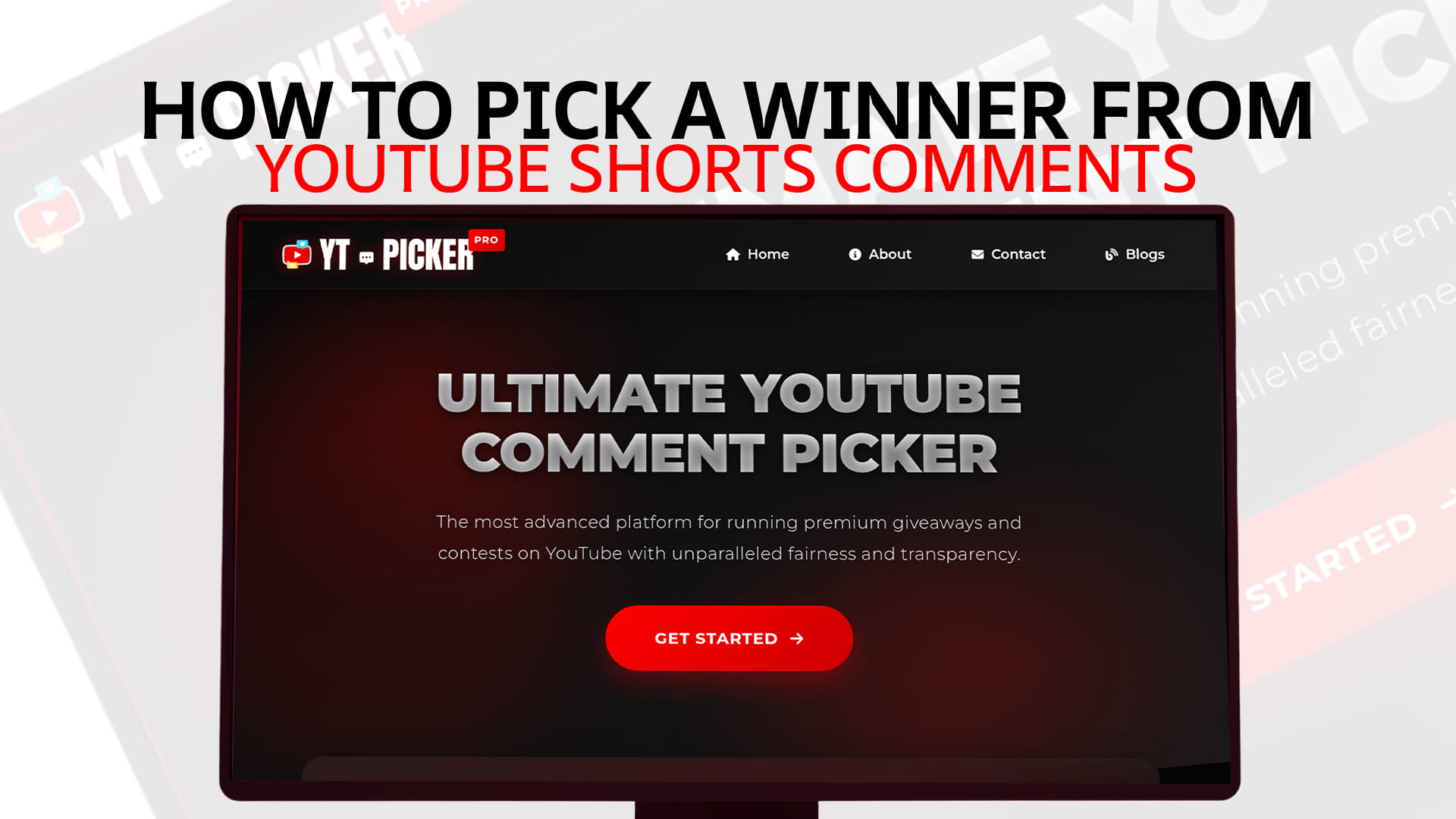
How to Pick a Winner from YouTube Shorts Comments
A Short can get hundreds of comments in an hour — most of them one or two words long. That is exactly why a Shorts giveaway is so powerful, and exactly why picking the winner by scrolling is so unfair. You cannot hold a viral comment section in your head, and your audience cannot verify a name you picked by eye.
A youtube shorts comment picker solves it the same way a picker solves a long-form draw: it loads the comments on your Short, filters them to the entries that followed your rules, removes duplicates, and draws a winner at random. You get a result you can show, screenshot, and defend.
Quick answer: To pick a winner from YouTube Shorts comments, post your Short with a distinctive entry keyword and a clear closing time, copy the Shorts link in the format youtube.com/shorts/VIDEO_ID, paste it into a comment picker, filter to one entry per person with the keyword required, reload comments right before the draw so late entries count, and draw once at random. Then announce the winner in a pinned comment and a follow-up Short.
YT Picker is the most advanced platform for running premium giveaways and contests on YouTube with unparalleled fairness and transparency. This guide shows how to use it for Shorts, and what makes a Shorts draw different from a long-form draw.
What Is a YouTube Shorts Comment Picker?
A YouTube Shorts comment picker is a random comment picker that works with Shorts links. You paste a Shorts URL, the tool loads the public comments on that Short, and it draws one or more winners at random from the eligible pool.
There is no separate Shorts mode to switch into. Shorts run on the same comment system as long-form videos, so the same tool works — as long as it accepts the Shorts URL format. That is the detail that trips creators up: a picker that only accepts watch links will choke on a Shorts link, or silently load the wrong video. A good Shorts picker accepts:
- youtube.com/shorts/VIDEO_ID
- youtube.com/watch?v=VIDEO_ID
- youtu.be/VIDEO_ID
- A bare 11-character video ID
Paste the link exactly as YouTube gives it from the Share button on the Short. Do not paste a channel link, a playlist link, or a search link. If the Short is public and comments are turned on, the picker should load its comments in seconds.
How Shorts Comments Are Different From Long-Form Comments
A Shorts draw is not just a smaller version of a long-form draw. Four differences change how you should run it.
Shorts comments are shorter. Long-form giveaways get sentences and answers to a question. Shorts get “done”, “me”, fire emojis, and single words. Without a required keyword or hashtag, almost every comment looks like an entry — including comments that were never meant to enter. A distinctive keyword is not optional on Shorts. It is the filter that separates entries from reactions.
Shorts comments grow fast. A Short can sit quiet for hours, then spike when the algorithm picks it up. The comment count you saw in the morning can double by the evening. If you load comments once and draw hours later, late entrants are excluded. Always reload right before you draw.
Shorts attract more duplicates and spam. The low effort of a one-word comment makes it easy for one person to post ten times. One entry per person matters more here than anywhere else. Without deduplication, a spammer has ten tickets and a quiet entrant has one.
Shorts viewers arrive from the feed, not from your channel. Many entrants have never watched a long video from you and will never see a follow-up long video. That is why the winner announcement for a Shorts giveaway has to live where Shorts viewers will actually find it: as a pinned comment on the same Short, and as a new Short, not only as a long video.
Before You Post the Short: Set the Giveaway Up Right
A fair Shorts draw is set up in the Short itself, before anyone comments.
Choose one distinctive entry keyword. Use a unique word or hashtag tied to the prize, for example SHORTSPRIZE or #ShortsWin. Avoid generic words such as WIN, DONE, or ME. On Shorts, those words appear in normal chat even when viewers are not entering, and your filter will count them as entries.
Say how to enter, on screen and in the caption. Shorts viewers watch without sound, watch for three seconds, and scroll fast. Put the entry instruction as on-screen text in the first two seconds — “Comment SHORTSPRIZE to enter” — repeat it in the voiceover if you have one, and put the full rules in the caption and pinned comment.
Set a clear closing time. Shorts do not have a natural end like a livestream. Say it plainly: “Entries close Friday at 6pm PKT” or “Entries close 48 hours after this Short goes live.” Give a date and a timezone, not “soon”. Then stick to it. Do not extend the window because the Short is doing well — that is unfair to people who entered on time.
Decide the eligibility rules in advance. One entry per person is standard. Decide whether replies count, whether you require a minimum comment length, whether moderators and your own team can enter, and whether the winner must respond within a set time, for example 48 hours. Write these rules down before you post, and link them in the pinned comment.
Check that comments are on. This sounds obvious, but it is the most common reason a Shorts draw fails. If comments are off, held for review, or restricted, the picker will load nothing. In YouTube Studio, confirm comments are enabled for this Short and that you are not holding all comments for review during the entry window.
For prize and format ideas that fit the 60-second format, start from YouTube Shorts giveaway ideas to go viral fast — then use this guide to run the draw fairly once the entries arrive.
Step-by-Step: Pick a Winner From YouTube Shorts Comments
Follow these steps in order. The whole draw takes about two minutes once the entry window has closed.
Step 1 — Copy the Shorts link from the Short itself
Open the Short on YouTube, tap Share, then Copy link. You should get a link in the format youtube.com/shorts/VIDEO_ID. Check that the video ID matches the Short you used for the giveaway — not a different Short from the same day. If you posted the giveaway in a long video and a Short, they are two different comment sections. Only the Short you announced counts.
Step 2 — Paste the Shorts link into the picker
Open YT Picker, paste the full Shorts link into the input box, and let the tool load the comments. Check the counter before you do anything else. It should show how many comments were loaded. If it shows zero, stop: check that the Short is public, that comments are on, and that you pasted the Shorts link, not a channel or Shorts feed link.
Step 3 — Set your filters to match your published rules
This is the step that proves the draw matched your rules. Set the same filters you announced in the Short:
- Required keyword or hashtag: enter the exact keyword from the Short, for example SHORTSPRIZE. Only comments containing it will count.
- Remove duplicates / one entry per person: turn this on. On Shorts, this is essential. It collapses ten comments from one person into one ticket.
- Include or exclude replies: decide in advance. Most Shorts giveaways count top-level comments only, so replies to other comments do not create extra entries.
- Minimum likes, if you used it: only use this if you announced it. Do not add a like threshold after entries have closed.
- Number of winners: set this now — one for the main prize, plus backups if you want them. For a viral Short with several small prizes, drawing all winners in one pass is cleaner than drawing again later.
To pick a random winner from YouTube comments fairly, the filters must match what you told viewers. If the Short said “comment SHORTSPRIZE, one entry per person”, the picker must be set to exactly that.
Step 4 — Reload comments right before you draw
Shorts comment sections grow fast in the first hours. Load the comments again right before you draw, so late entries are included. This is the step most creators skip, and it is the one that causes the most disputes: “I commented before the deadline, why was I not in the draw?” If you reloaded after the deadline, you can answer that question with the timestamp and the final count.
Check the numbers after the reload and note them down:
- Total comments loaded
- Eligible entries after the keyword filter
- Unique entrants after deduplication
Those three numbers are your proof. Show them on screen or in your announcement.
Step 5 — Draw the winner once, on screen or on record
Click Pick Winner / Generate Winners. The winner’s username and winning comment should appear clearly. Read them out if you are recording a reveal Short, and take a screenshot that shows the date, the eligible count, and the winner.
Draw once. Do not re-roll because you do not recognise the name, or because the winner has a new account, or because you wanted a more active viewer to win. Re-rolling is exactly the behaviour that makes draws look rigged. If a winner turns out to be ineligible — for example, they did not use the keyword, or they are a duplicate account — use a backup drawn in the same pass, not a fresh draw until you like the result.
Step 6 — Verify the winner and announce it where Shorts viewers will see it
Confirm the winner met your rules: the keyword, one entry, a real account, and any eligibility rule you announced. Then announce a giveaway winner on YouTube in the places Shorts viewers actually check:
- Pinned comment on the same Short. Post the winner’s username, winning comment, and the entry totals. This is the first place entrants will look.
- A new Short. A 15-second reveal Short — “The winner is @username” with a screenshot of the draw — reaches the same feed audience that entered. A long video alone will miss most of them.
- A Community post, if you use it. Link back to the Short so late viewers can verify the result.
Keep personal information out of the announcement. Show the winner’s username, never their email, real name, or address. Arrange the prize handoff privately, and verify identity privately before you ship anything. Give the winner a clear claim deadline, for example 48 hours to reply to your pinned comment or contact you, and say what happens if they do not — the backup winner gets the prize.
What If Your Short Goes Viral?
A viral Short changes the maths, not the method.
First, expect the eligible count to be a fraction of the raw comment count once deduplication and the keyword filter have run. That is the filter working, not a bug. A Short with 5,000 comments might have only 800 eligible entries after you remove duplicates, spam, and comments without the keyword. That is normal, and it is why you should announce the eligible count, not just the raw comment count.
Second, watch the comment limit. Some free pickers only load the first 100 comments. On a viral Short, that means most entrants never enter the pool. Before you announce a Shorts giveaway, check how many comments your picker can load. If your Short is likely to pass that limit, use a picker that can load the full comment section, or set a shorter entry window and draw before the count explodes. Do not announce a winner from the first 100 comments and call it a draw from 5,000 entries.
Third, consider drawing multiple winners. A viral Short is a good time to split one big prize into several smaller ones, or to add runner-up prizes. That keeps more entrants feeling they had a real chance, and it gives you more reveal content. Learn how to pick multiple winners from YouTube comments in one pass, with backups drawn at the same time, so you do not need to re-run the draw later.
Rules and Compliance for a Shorts Giveaway
The same rules that apply to any YouTube giveaway apply to Shorts, even though the video is only 60 seconds long.
- Entry must be free. No purchase necessary to enter or win. Do not offer extra entries for purchases.
- Do not make subscribing the sole condition to win. You can encourage viewers to subscribe, but YouTube’s contest and fake engagement policies mean you should not make a tracked subscribe the manipulative, sole way to win. The entry should be the comment itself.
- State that YouTube is not a sponsor. Say in the caption or pinned comment that YouTube does not sponsor, endorse, or administer the giveaway.
- Publish official rules. Prize, how to enter, closing time, who is eligible, how the winner will be contacted, and the claim deadline. A short version in the pinned comment plus a link to full rules covers it.
- Keep a record. Save the entry totals, the winning comment, and a screenshot or recording of the draw. That record is your defence if anyone questions the result.
This post is general information, not legal advice. If your prize is high value or your giveaway runs across countries, check local rules before you launch.
Mistakes That Ruin a Shorts Draw
- Picking by scrolling. It is unverifiable and favours names you recognise. Load the comments, filter, then draw.
- Using a generic keyword. “Type WIN” or “Comment DONE” catches half of normal Shorts chat. Make it distinctive.
- Pasting the wrong link. A Shorts feed link, a channel link, or the wrong Short’s link will load the wrong comment section.
- Forgetting to turn comments on. No comments, no entries, no draw.
- Drawing from the first 100 comments on a viral Short. Check the load limit before you announce.
- Not reloading before the draw. Late entrants who met the deadline are excluded for no reason.
- Skipping deduplication. One spammer gets ten tickets while everyone else gets one.
- Re-rolling until you like the result. One draw, one result. Backups are for ineligible or no-show winners, not do-overs.
- Announcing only in a long video. Most Shorts entrants will never see it. Pin it on the Short and post a reveal Short.
Shorts Giveaway Checklist
- Distinctive keyword or hashtag chosen, shown on screen in the first two seconds.
- Entry window and closing time stated in the Short, caption, and pinned comment.
- Comments enabled, not held for review during the entry window.
- Shorts link copied from Share, in youtube.com/shorts/VIDEO_ID format.
- Picker loaded, keyword filter set, one entry per person on, replies set as announced.
- Comments reloaded after the deadline, totals noted: total, eligible, unique.
- Winner drawn once, screenshot saved with date and counts.
- Winner verified, backup ready, claim deadline set.
- Winner announced as pinned comment on the same Short plus a reveal Short.
- Prize handoff arranged privately, no personal details shown publicly.
Run it this way, and a Shorts giveaway does what Shorts do best: it turns a 60-second video into a fast, visible, and fair draw — and gives viewers a reason to comment, watch the reveal, and come back for the next one.
Frequently Asked Questions
Yes, if comments are turned on and the picker accepts Shorts links. Paste the link in the format youtube.com/shorts/VIDEO_ID. Shorts use the same comment system as long-form videos, so the same filters — keyword, one entry per person, replies, and multiple winners — apply.
Open the Short, tap Share, then Copy link. You should get youtube.com/shorts/VIDEO_ID. Do not copy a link from the Shorts feed or your channel page, and check the video ID matches the Short you announced for the giveaway. A watch link for the same video ID also works in most pickers.
Because Shorts comments are mostly one or two words — “done”, “me”, emojis — and without a keyword almost every comment looks like an entry. A distinctive keyword or hashtag, for example SHORTSPRIZE, lets the picker separate real entries from reactions and spam, and makes the draw easy to defend.
Reload comments right before you draw so late entries count, and check your picker’s comment limit first. Some free tools only load the first 100 comments, which is not fair for a viral Short. Use a picker that can load the full section, draw multiple winners in one pass if you have several prizes, and announce the eligible count after deduplication, not just the raw comment total.
Pin the winner’s username, winning comment, and entry totals as a comment on the same Short, and post a short reveal Short with a screenshot of the draw. That reaches the feed audience that entered. Keep personal details private, give a clear claim deadline, and use a backup drawn in the same pass if the winner does not respond.